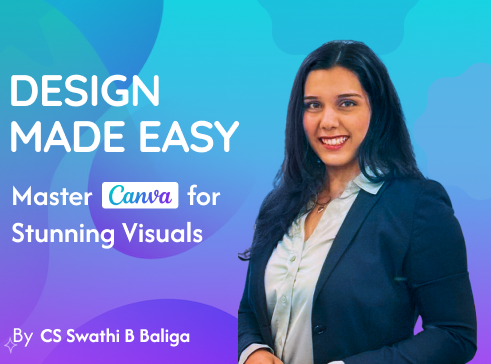
Welcome to Design Made Easy, a hands-on, beginner-friendly course tailored for students, homemakers, and small business owners who want to level up their design skills without any prior learning experience
In just 2 sessions (2 hours a day), you’ll go from a complete beginner to confidently designing invitations, logos, social media posts, carousels, and more, using Canva.
Whether you want to excel in your school projects and presentations, grow your brand, beautify your business, or simply unleash your creativity, this course is your gateway to stunning visual communication.
A dynamic entrepreneur, and creative educator from the vibrant coastal city of Mangaluru. She is the founder of Vikasit Vidya, a skill development initiative empowering individuals through practical and creative learning.
Driven by a passion for design, branding, and aesthetics, she has seamlessly blended her corporate acumen with creative pursuits. She has helped numerous entrepreneurs and students understand the "how" behind creating impactful visual communication.
With a natural flair for teaching and a hands-on approach, Swathi makes learning Canva fun, relatable, and result-oriented. She especially connects with homemakers, students, and solopreneurs—helping them turn their ideas into visually appealing designs with confidence.
When she’s not conducting sessions or consulting businesses, you’ll find her painting, experimenting with new recipes, embracing art and creativity in every corner of her life.
Your Learning Roadmap
Session 1 1 hour
Getting Started with Design and Canva
Introduction to Canva.
Understanding some basic shortcuts.
Activity: Design a Birthday Invite/ Greeting Card.
Session 2 1 hour
Logo Designing
Learn brand elements and effective logo design.
Exploring fonts and themes.
Understanding color theory and importance of color
Activity: Design a Logo - for a brand/ for an invitation/ reinventing an existing brand
Session 3 1 hour
Branding with Canva
Fundamentals of Branding
Various types of digital designs
Activity: Design a Poster for your Brand with CTA - for an existing brand/ new brand/ imaginary brand (Ex: Cloud kitchen/ Skincare brand/ Clothing brand/ Salon/ Fitness Centre)
Session 4 1 hour
Set into Motion
How to make a PPT on Canva
Learn motion graphics
Activity: Making a 4 slide presentation (Ex: Seasons of the year/ Menu/ Products)
Learning Outcomes
By the end of this course, you will be able to
Navigate Canva confidently and use its core features effectively.
Design professional-looking invitations, posters, logos, carousels, and social media creatives.
Understand basic design principles: color theory, typography, layout, and alignment.
Apply branding fundamentals to your own designs.
Create scroll-stopping content that connects with your audience.
Work faster with Canva shortcuts and smart hacks.
Build a mini portfolio of your work during the course.
Attending the course was an eye-opening experience. The trainer was very knowledgeable. The sessions were very practical and clear. Her guidance and hands-on excerises made the learning process both engaging and fun. This course has really helped me, I highly recommend this course to anyone looking to enhance their design skills & take their creativity to the next level.
Nirmala Hegde
Advocate
I have chosen Vikasit Vidya’s course and it has really been a great experience. I learned how to design creative posters, social media posts, presentations and invitations. This knowledge has helped me gain confidence and perform better in my college presentations. Thank you, Vikasit Vidya.